
My New Favorite Digital Homeschool Planner
One thing I have learned in our homeschool years is our homeschool requires flexibility when it comes to planning. Homeschool fits into and around our family life, and this life requires flexibility, which is why a paper planner has never worked for me for our homeschool planning. I want the flexibility of copy and paste instead of using pencil and erasers.
For a long time I have made Excel spreadsheets for our homeschool week because the digital planners I have tried weren’t easy to set up or easy to use. But recently I found a new planner option that was both easy to set up and easy to use. Transferring my lesson plans took less time to transfer to Syllabird than it did to create my spreadsheets. Now, that is a homeschool planner I can use!

A Digital Homeschool Planner Made by a Homeschooler
It was clear to me from the first training I received from Syllabird that this digital homeschool planner was different. It is built and coded by a homeschool graduate, so they know what homeschool families need in their planning. It needs to be easy to add assignments and flexible to move them around.
One of my favorite features is the ability to add repeating assignments. Not only can I add the same activity to repeat at regular intervals but I can repeat groups of assignments and daily chapter reading. By using curly brackets {…} I can save time setting up a series of repeating events like rotating spelling activities or a sequence of chapters over a set number of lessons. Everytime I used this I smiled at the time I was saving.
We all know how life sometimes gets in the way of our homeschool and we have to make adjustments to the pace or flow of our curriculum. Syllabird has a vacation mode which lets you slide all of the assignments at once to adjust for this change. It makes it so easy to schedule our break weeks from school! Assignments can be slid the other direction for when students work ahead as well!
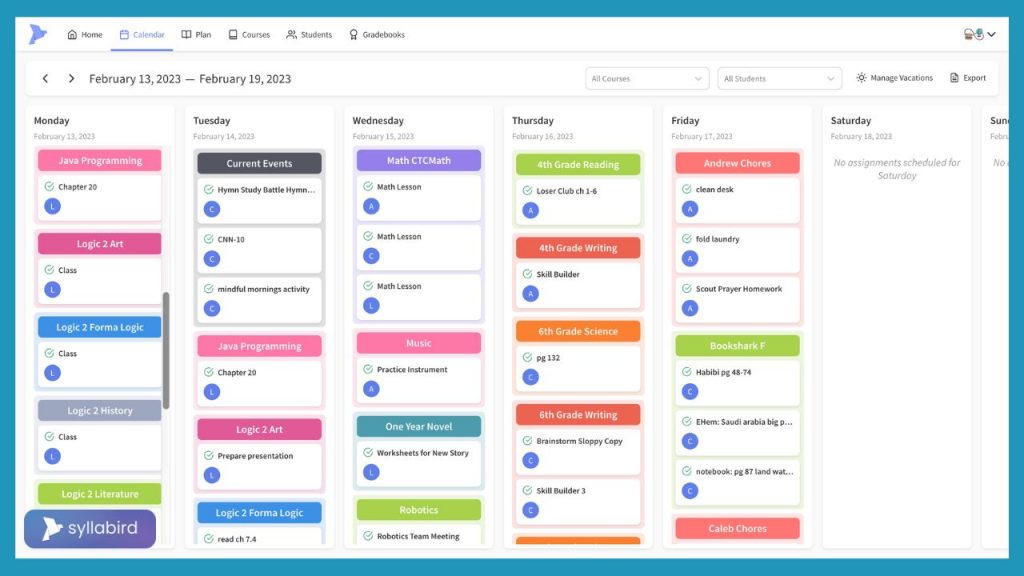
Simple for Homeschool Parents to set up classes
One of the first things that got me hooked was how easy setting up Syllabird is. The structure of classes and students and the calendar was all very intuitive. First you build a class, setting up the number of days of the week to offer it and how many weeks. You can also choose a color for the class. This was a great feature because I am very visual, and it helped my students as well.
After creating the class you add the assignments. There is a grid of all the class days, and the ones with assignments are shaded so it’s easy to see at a glance if you have entered everything or where you left off if you plan as you go. This is where you would use the repeating and pattern features to save time to enter the assignments. There is also the option to add more information, links, or attachments to the assignment for the student to use.
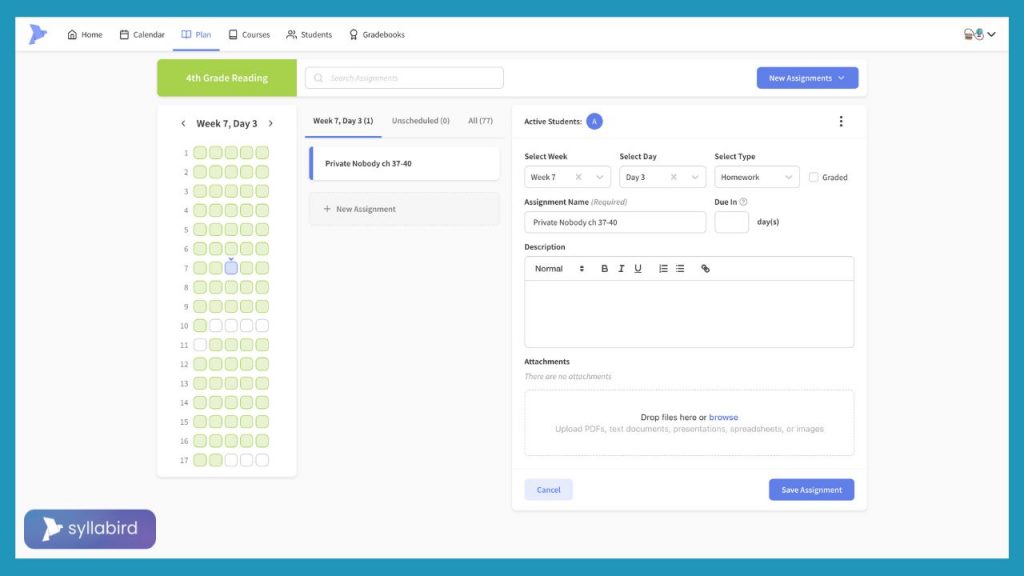
Finally it’s time to assign the class to the student. You will add each student to the software and then enroll them in the course that you just made. The courses can be reused or assigned to multiple students at the same time. We use an online math program, and I just have a daily “math lesson” on each child’s list and then assign their work in the online program. I created one course with 5 lessons a week and have each child enrolled in the course so it’s on everyone’s schedule. I don’t need to create three math classes for my three students.
You have the option for assignments to be graded or ungraded. I am teaching middle school and elementary grades so we aren’t formally grading classes yet. I am glad to have the option for the future as we are very close to high school.
Easy Digital Planner for Students
When my students were younger my homeschool planning was about me being organized and having a plan for our day. Now that I have teens, I also need to teach them to be organized for themselves. Syllabird helps me do this for both me and my teens. I can plan and organize everyone’s work and have two options for how I share it with my students.
I can create a digital log-in for my students to use and they can check off their work on the website themselves. This was a great option for my oldest when she had a broken arm and couldn’t write. She likes to use colored pens to write in her paper planner, a different color for each class and I could color code her classes online to match her preferred colors. It is a website only program but optimized for cell phones so you can make a shortcut on your student’s devices for them to check in themselves. When student use the online access they can upload or link completed work within Syllabird to make grading easy.
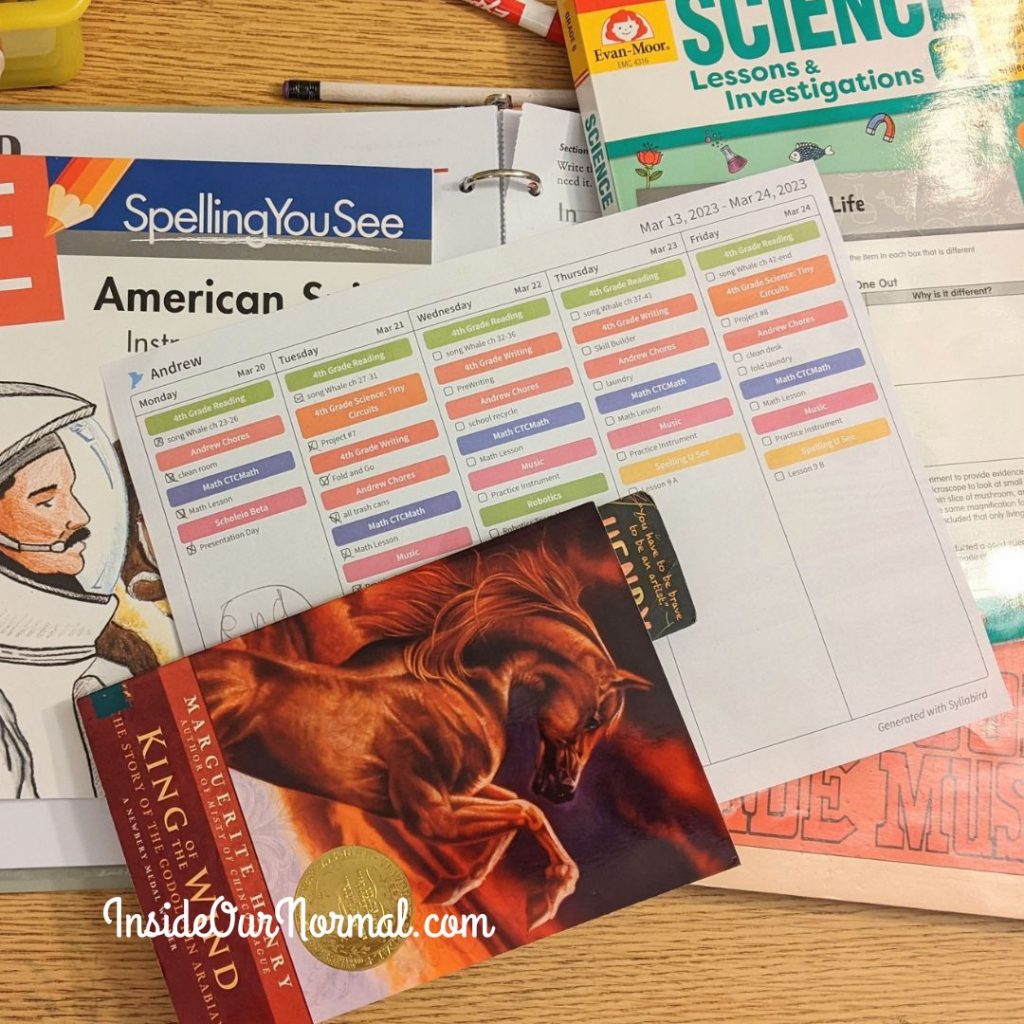
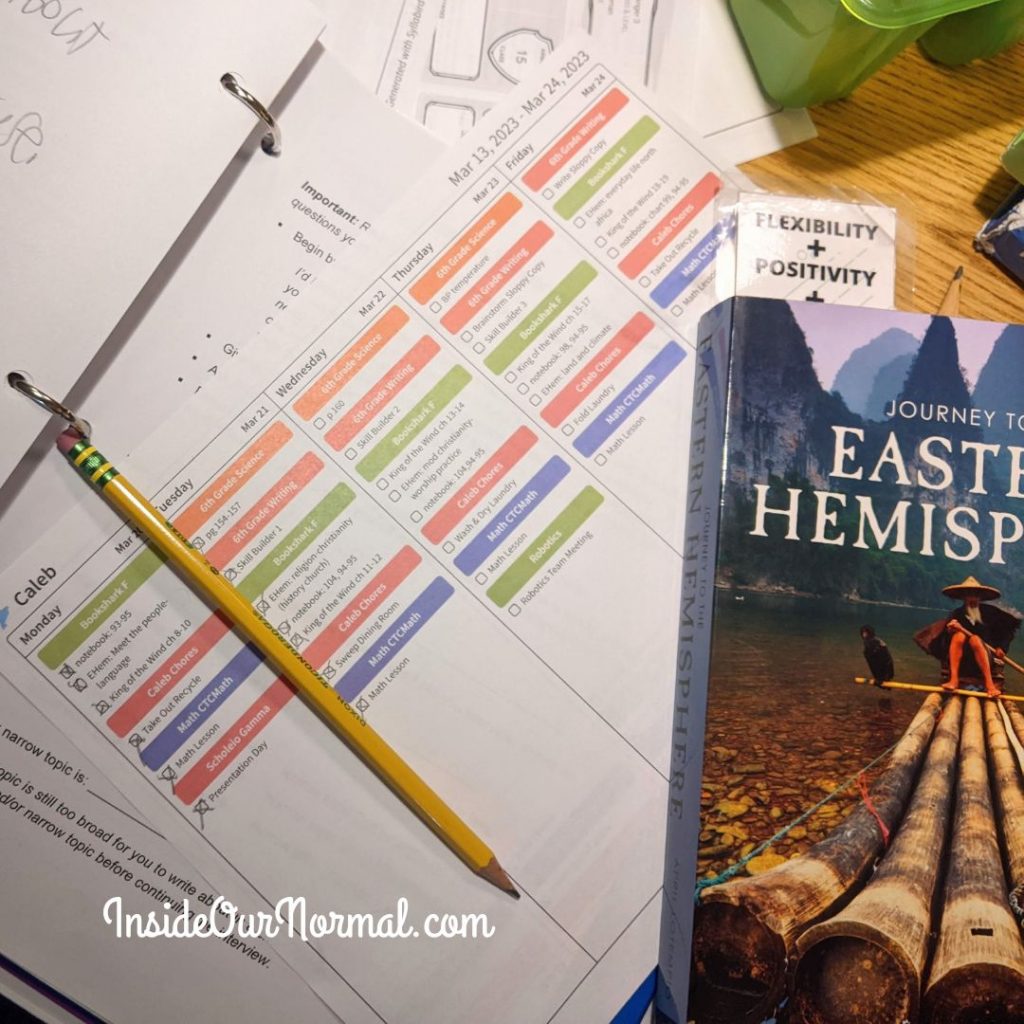
You also have the option to print each student’s work. The printout is very clean and compact for the student to follow. This works best for my elementary students and those that struggle with focus. Using their device to check their assignments can create too much temptation to get distracted by other online activities during school time. A paper checklist also helps me check in with them throughout the week on the progress they have made and add any last minute tasks to the list.
Syllabird for the Outside the Box Family
I was really nervous about trying a new digital homeschool planner since our spreadsheets were working for us. But Syllabird is worth it. Transferring my assignments for all three kids didn’t take near the time I expected thanks to the repeats and patterns. Each of my students is growing more independent in their work because they have their own list to use for assignments. My master list is now only on the computer and the paper lists are for each child.
As we look to high school I can see how easy and simple grading for transcripts will be with Syllabird as well. It’s a clean and simple program that I enjoy using each week to keep our homeschool organized.
You can check it out for yourself with a 14 day free trial!
